
How to shoot a simple 360 degree product spin with a phone
A turntable, fixed phone position and even rotation steps give you a set of angle photos or a short rotating clip of your product.
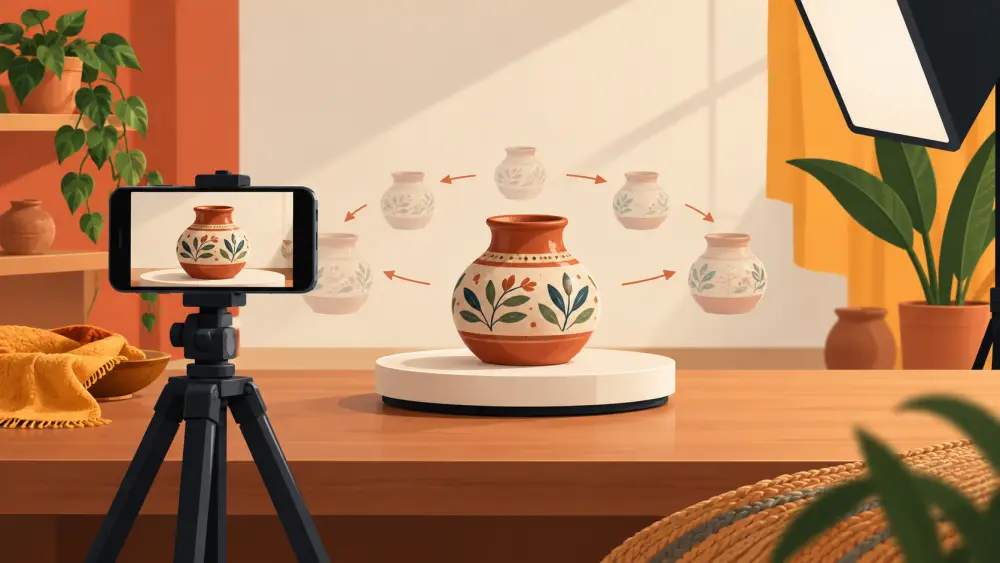
A 360 degree spin shows a product from every side, which is handy for items where the back or the shape matters: a bag, a vase, a shoe, a bottle. Be clear about what you are making, though. Varchas Stores does not offer an interactive spin viewer on product pages today, so a spin is something you create as a set of photos or a short video clip. Treat it as extra content you can use in a video, a reel, or as a way of getting consistent angle photos.
What you need
- A turntable. A cake turntable, a lazy Susan from the kitchen, or a plain round tray on a smooth surface all work.
- A phone on a tripod or fixed in a stack of books, so it cannot move.
- A plain background and steady light. Soft light from the side works well. See using cheap LED lights or window light.
Set up the position
Put the product at the centre of the turntable. Mark the centre with tape so you can put the next product in exactly the same place. Place the phone at a fixed height and distance, framing the product with some margin around it, because as it turns, different parts stick out further. Use tap-to-focus on the product and lock exposure so the brightness does not change during the spin.
Option A: a set of still photos
This gives you clean, sharp angles that you can also use as product images.
- Mark the turntable edge in equal steps. Twelve marks gives a step of thirty degrees, which is a decent starting point. More steps look smoother but take longer.
- Rotate to each mark, take a photo, rotate again.
- Keep your hand clear of the frame each time you shoot.
Choose the best four or five of these for your product page. Our guide to which angles to shoot for every product tells you which ones usually matter most.
Option B: a short video clip
Record while turning the turntable slowly and evenly. The slower and steadier the turn, the better it looks. Practice a few times, because a jerky start or stop is the most visible flaw. If you cannot turn it smoothly by hand, try turning it with a pen tip placed on the edge, always in the same direction. Trim the start and end so the clip begins and finishes cleanly. Keep clips short so they stay light; see keeping video files small.
Watch for common problems
- Wobble: the product is off-centre. Re-centre it with your tape mark.
- Shadows jumping around: your light is too close or too small. Move it back and diffuse it.
- Reflections sliding across glossy surfaces: expected with shiny products, but you can reduce it with softer light.
- Background edges visible: extend the backdrop or move closer.
Where to use it
A spin clip works well in a reel or story, or as part of a short product video. The still angles go straight onto your product listing. Be honest in the listing about what is shown; do not use a spin to hide a flaw on the side that is not photographed.
Keep it proportionate
A spin is extra, not essential. If you have a small catalogue and a limited week, start with good basic photos, as in photographing products with only a phone, and add spins for the products where shape really matters.