
How to make a white background for product photos at home
A chart paper or bedsheet sweep on a table gives a clean backdrop. What it can and cannot achieve without editing.
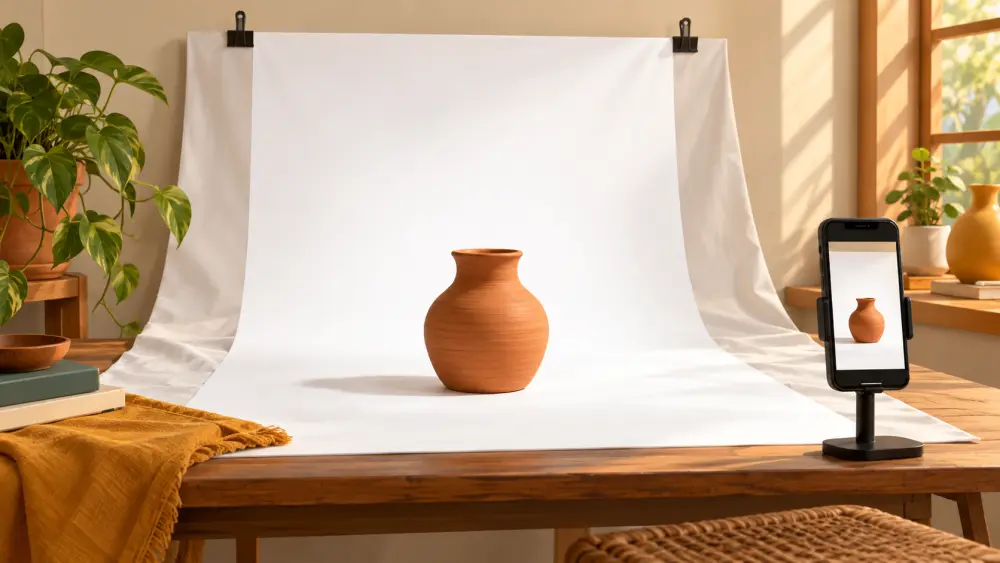
A white background keeps attention on the product and looks consistent across a catalogue. You can build one at home with materials you probably already have.
What you need
- A table near a window
- A large sheet of white chart paper, a plain white bedsheet or a roll of white paper
- Something to hold it up: a wall, a stack of books, a chair back or tape
- Clips or masking tape
Build a sweep
A sweep is a background that curves from the wall down onto the table without a hard line where they meet. That curve removes the horizon line and makes the product seem to float on white.
- Push the table against a wall, or place it in front of a chair back.
- Tape the top of the paper to the wall or chair, higher than your product.
- Let the paper fall down and curve gently onto the table surface.
- Smooth out creases. Fold lines catch light and show up as grey streaks.
- Place the product a little way forward on the curve, not in the crease.
Light it softly
Position the table beside a window, with the light coming from the side. A thin curtain softens strong sun. See using window light. Bounce a white card on the shadow side if the product looks dark on one edge.
Be realistic about "pure white"
White paper photographed in ordinary light usually looks light grey or slightly coloured, not pure white. Phone cameras adjust exposure for the whole scene, so a white backdrop often comes out dull. You can push brightness slightly when you take the photo, and a light edit afterwards can lift the background. I would not promise perfect white straight out of the camera, so plan for a small adjustment.
Keep it clean
Chart paper marks easily. Replace the sheet when it shows smudges, creases or footprints. Keep a few spare sheets, as they cost very little.
Watch the colours
A white background can fool the camera into darkening the product. If your product looks too dim, tap on it to focus and then slide the brightness up slightly. See best camera settings.
When white is not ideal
White can look cold for warm or earthy products and can make white items disappear. If your product is white, use a mid-tone backdrop instead. See what background colour works best.
Store the setup
If you can keep the backdrop fixed in one corner, shooting becomes quick, and your catalogue stays consistent. If not, mark the table position and window distance, so you can reproduce it next time. More on a reliable shooting routine is in taking product photos with only a phone.