
How to shoot one set of photos for Instagram and your store
Leave crop margins and shoot a little wider so the same photos work in a square or tall social post and on your product page.
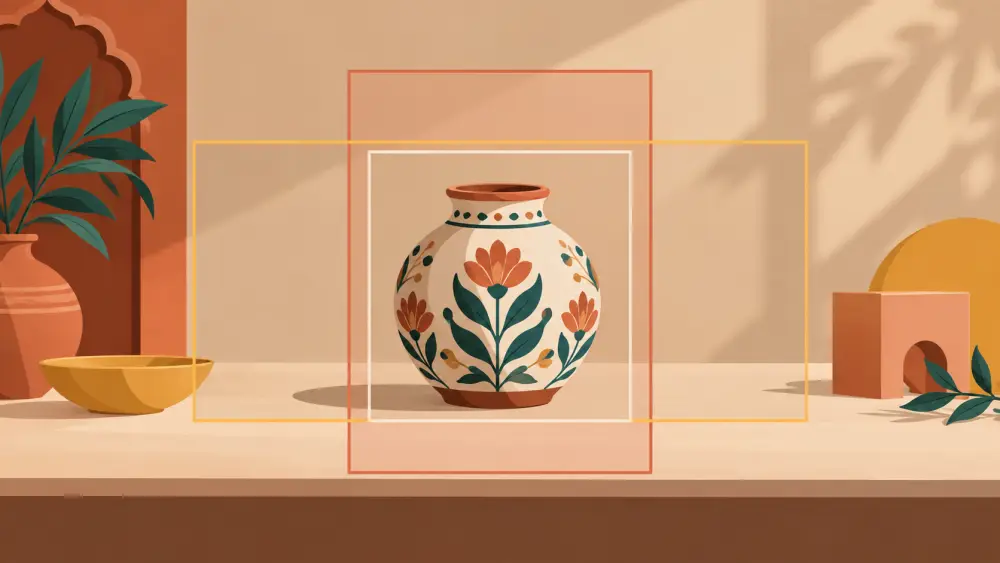
Most small sellers use the same photos in two places: a post or story on Instagram, and the product page on their store. The trouble is that the two places want slightly different shapes. A tall frame suits a phone-screen post; a square or near-square frame suits a product grid. If you shoot tightly for one, the other cuts off a corner of your product. The answer is to shoot once with room to spare, then crop for each place.
Shoot wider than you think you need
When you frame a product, leave a clear margin on all four sides, roughly a hand's width at the phone screen. This gives you space to crop later without cutting into the product. A product that fills the entire frame has no room for any crop. Keep the product centred, with the main subject sitting in the middle area of the image where both shapes will include it.
Know your two crops
Before the shoot, decide the shapes you will use. A common pair is a square crop for your store's product images and a taller crop for social posts. Check what your own store and your own Instagram profile currently show, because platforms change their layouts and crops over time, so look at your actual account rather than trusting a rule written in an article. Take a test photo, crop it both ways on your phone, and see what happens to the product.
Keep important things away from the edges
Place anything that must stay visible, such as your logo, a label, text on packaging or a feature you are pointing out, comfortably inside the central area. If something sits near the edge of the frame, one of your crops will clip it. When using text overlays on social posts, place them in the space you left around the product rather than on top of it.
Use the same background for both
A plain background that extends well beyond the product is a gift here. A large sheet or a long table lets you crop tall or square without running into the edge of the backdrop. If you are making your own, see DIY white background.
Plan two kinds of images
Not every shot needs to serve both. A practical split:
- Store images: clean, bright, consistent, with the product clear against a simple background. See what the main product photo should show.
- Instagram images: more atmosphere, props or people, a little more story. Our post on lifestyle photos covers these.
You can shoot both in one session by finishing your clean shots first and then adding props or hands for the social set. That is much faster than two separate shoots. If you batch your work, shooting a whole catalogue in one day shows how to order it.
Export without damaging quality
Keep the original full photo and do your crops as copies. Do not crop the original and then try to stretch it back. Always edit with the same steps so a product looks the same in both places. Your style guide is where to write these steps down.
Avoid saying more than the photo shows
If the Instagram version is styled with extra props, make sure your store listing says what is actually included. A customer should not discover that the dried flowers in the photo were not part of the order.
A simple routine
Shoot wide, check both crops on your phone, keep the essentials centred, and save the originals. That is enough to run one shoot and feed two places.