
What should I pin at the top of my Instagram profile?
Pin a how-to-order post, a best seller and a proof post so that every new visitor sees what matters before they scroll.
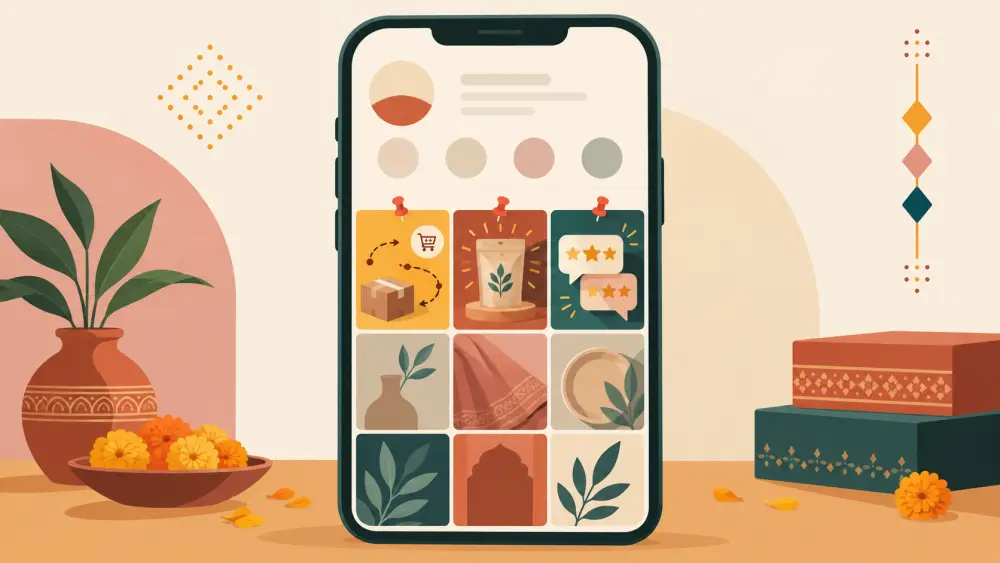
A new visitor to your profile sees your grid from the top. Without pinning, the top is whatever you posted last, which might be a festival greeting from three weeks ago. Pinned posts let you choose the first things a stranger sees. Treat that row as a window display.
Instagram changes how many posts you can pin and how pinning works from time to time, so check the app for what your account allows rather than relying on any number I could give you.
The three pins that earn their place
One, how to order. A clear post showing the steps. A carousel works well. Slide one says "How to order from [your shop]". The next slides show choosing a product, selecting a variant and paying, with a note on cash on delivery if you offer it. End with "link in bio". A visitor who is unsure how buying works now has an answer without messaging you.
Two, your best seller. The product people ask for most. Choose the post with the clearest photos and a complete caption: price, sizes, material. This is the item you most want a stranger to notice.
Three, proof. A post of customer photos or review screenshots, with permission. A new visitor wants to know that real people have received real parcels. If you do not have much yet, a post showing your packing process or a delivered parcel works until reviews arrive.
Why this order
Many people arrive from a friend's recommendation, a hashtag or a story mention. They need to answer three questions in seconds. How do I buy? What is good here? Can I trust this shop? The three pins answer these in turn.
Keep the pins fresh
A pinned post is not permanent. Set a calendar reminder each month to check.
- Is the best seller still in stock and still your best seller?
- Has the price changed?
- Is the how-to-order post still accurate?
- Do you have a better proof post now?
Swap a pin when it goes stale. Out-of-date pinned information is worse than none.
Match pins to your Highlights
Your pinned posts and your Highlights should tell the same story. If your Highlights include How to order and Reviews, your pins should not contradict them. See which Instagram Highlights a small shop should have to align both.
Pins and the link
Each pinned post should end by pointing to your link. That link should go to the store, where a visitor can act. The reasoning is in what to put in your Instagram link in bio.
What not to pin
- A post with an expired offer.
- A post that begins with an apology or an announcement about delays.
- A photo with no caption.
- Anything you would be uncomfortable explaining to a first-time buyer.
I will not claim pinning increases sales by any amount. What I can say is that you control the first impression, and spending twenty minutes to choose it well is better than leaving it to chance. If customer proof is thin, start collecting it with how to ask permission to repost customer photos.