
How to show product size in photos so buyers are not surprised
A photo alone cannot tell a buyer how big something is. Pair a familiar object in the frame with stated measurements so the size is clear.
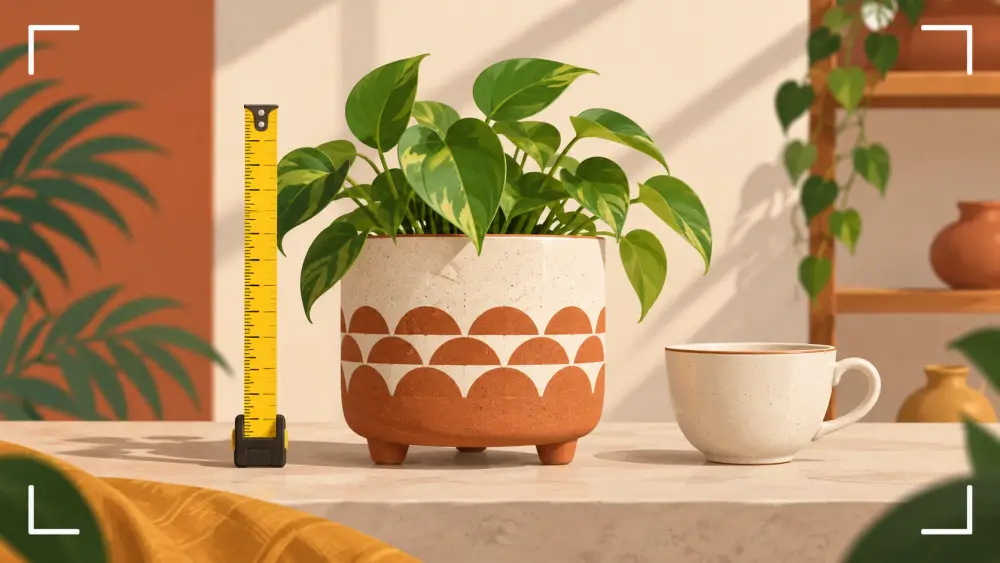
Few things disappoint an online buyer faster than opening a parcel and finding the product is much smaller, or bigger, than they imagined. A close-up of a keychain can look the size of a handbag. Showing scale clearly is part of being honest about what you sell.
Why photos mislead on size
A photo fills the frame with the product whatever its real size. Without something to compare it to, the brain guesses, and it often guesses wrong. Tight crops and close-ups make this worse. The fix is to give the eye a reference.
Use a familiar object
Place the product next to something whose size everyone knows, and keep both in the same plane so one does not look closer to the camera than the other.
- A hand holding the item is the most natural reference, and it also shows how it feels to hold.
- A coin works for tiny products, since people know roughly how big it is.
- A ruler or tape measure laid beside the product shows the actual length, but make sure the markings are readable and the item sits flat against it.
- A cup, a pen or a phone work for mid-sized items.
Keep the reference simple and avoid objects of unclear size, like a decorative item that only you know the dimensions of.
Write the measurements down
Photos help, but numbers are what a buyer relies on. Put the key dimensions in the description, such as length, width, height or diameter, and say which units you use. For clothing, footwear and bags, give measurements of the actual product, not only a size label, because size labels vary from one brand to another. Measure the same way each time, and state how, for example "across the widest point."
Writing clear specifications is part of writing product descriptions people read.
Put the reference in a dedicated photo
Do not clutter your main image with props. Keep the main photo clean, and add a separate photo in the gallery for scale. A product page typically has a main image and a gallery of extra photos, so a scale shot slots in naturally among the angles described in which angles to shoot for every product.
Show it on a body or in a room when relevant
For wearables, a photo on a person or part of a person shows how large the item looks on them. For decor, a photo on a shelf or wall near other things gives a sense of room scale. Note the height or build of any person in the photo if that helps, for instance a short caption or line in the description.
Be honest about limits
A scale shot reduces surprises, but it does not eliminate them. Some buyers will look only at the first photo, and others will misjudge size despite everything. Treat scale photos and stated measurements as part of the answer, not a guarantee, and keep your descriptions accurate. Fewer surprises still help keep returns down, a topic in returns and RTO: what nobody tells you.
A quick checklist
- One clean main photo.
- One photo with a hand or familiar object.
- Measurements in the description, with units.
- Consistent measuring method across products.
Done the same way across the catalogue, this makes your store feel dependable. For the wider habits, see photographing products on a phone.